![Vapaus_Favicon.png]](https://www.vapaus.io/hs-fs/hubfs/Vapaus_Favicon.png?width=50&height=50&name=Vapaus_Favicon.png)
Step 1: Create your Vapaus account
Start by creating a Vapaus account. Need help? See how to create a Vapaus account.
Step 2: Submit your order
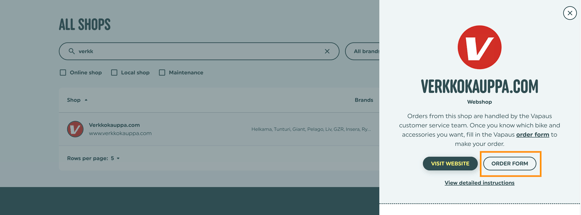
Log into your Vapaus account and fill out the order form in the "Get a bike" section under "Online partner shops". Search for verkkokauppa.com and open the order form.
Step 3: Review and accept
You'll receive an order draft via email. Log back into your Vapaus account to review the details. Once everything looks right, accept the terms to finalise your order.
Step 4: We order the bike
We place the order with the retailer on your behalf. Your bike ships to the address you provided, and you'll get a tracking link from our team when it's on its way.